
Dual Filtered Interface: RJ-45 Ethernet and USB 3 'Super Speed' — JRE LAN-USB 3
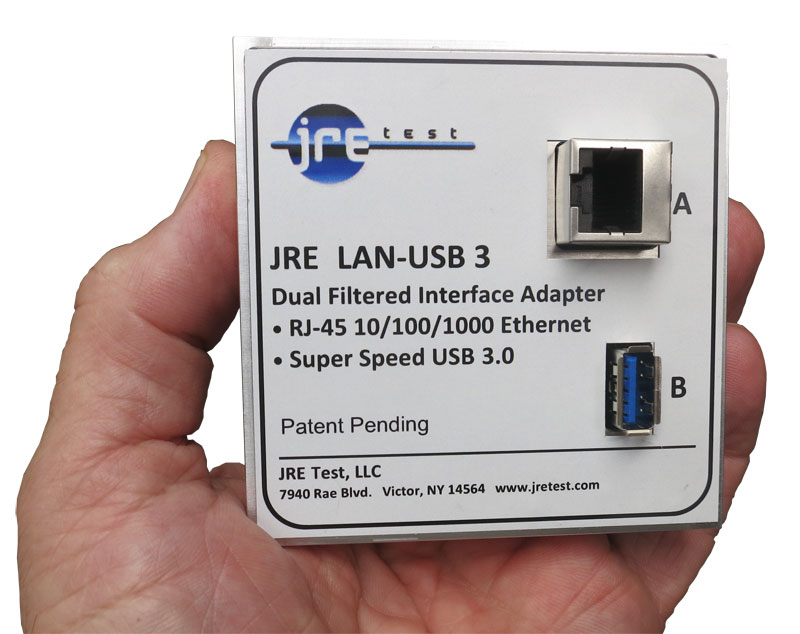
Combined filtered gigabit Ethernet and USB 3 SuperSpeed interface with independent RJ-45 and Type-A paths in one housing.
JRE LAN-USB 3 specifications
- Outside dimensions
- 3.2" H x 3.2" W x 0.8" D (80 x 80 x 20 mm)
- Isolation
- 80 dB RF rejection (USB 3 section); > 80 dB above 800 MHz (LAN section)
- Data Line Balanced Impedance
- 90 and 100 Ohms typical
- USB Section Insertion Loss on Data lines
- less than 1.5 dB
- USB Section RF Isolation
- 80 dB in test system configuration
- LAN Insertion Loss at 10 MHz
- 0.1 dB
- LAN Insertion Loss at 150 MHz
- 1.2 dB
- LAN Insertion Loss at 250 MHz
- 1.5 dB
- LAN Insertion Loss at 350 MHz
- 2.0 dB
- LAN Insertion Loss at 480 MHz
- 3.0 dB
- LAN Insertion Loss at 700 MHz
- > 70 dB
- LAN Insertion Loss at 800 MHz to 6 GHz
- > 80 dB
- LAN Filter Connectors
- RJ-45 Female jacks
- USB Filter Connectors
- USB Type A Female connectors
- Filtering
- All lines filtered
- Power capability
- Up to 60 VDC at 250 mA, 1.5 ohms max DC resistance
- Mounting screws
- 4-40 (included)
- Clearance hole size
- 0.1285" diameter - #30 or 3.3mm drill
JRE LAN-USB 3 overview
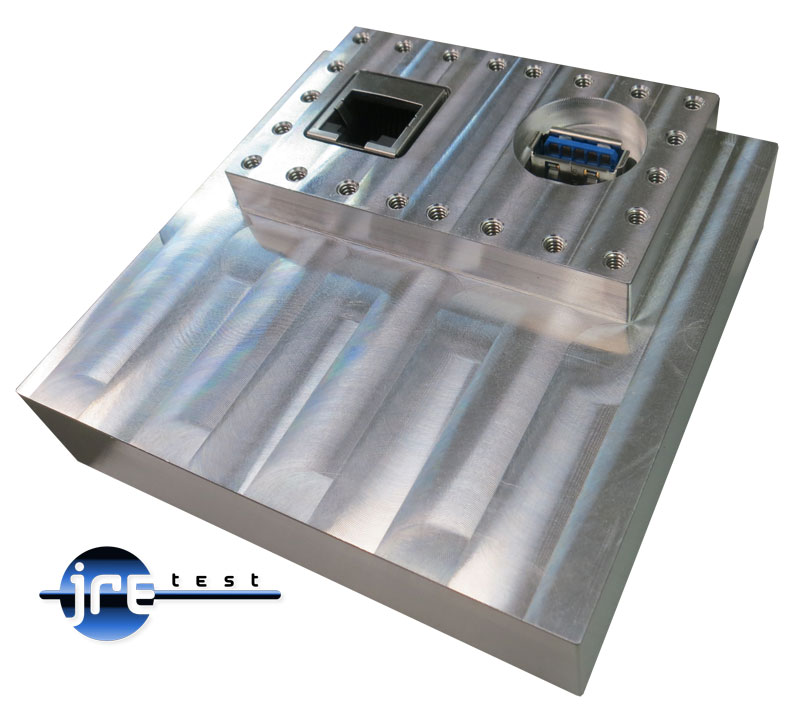
The JRE LAN-USB 3 is for a mixed-speed bench: standard Ethernet on one side of the housing and SuperSpeed USB on the other. I use its compact plate position to carry both paths through the shield wall while each remains filtered for its own signal.
- Independent 10/100/1000 RJ-45 and USB 3 Type-A paths in one machined-aluminum housing
- LAN section exceeds 70 dB rejection at 700 MHz and 80 dB from 800 MHz to 6 GHz
- USB path supports USB 1.1, 2.0, and 3.x SuperSpeed operation
- USB data-line insertion loss under 1.5 dB, with 80 dB RF isolation
- USB section appears as roughly 1-1.5 m of cable for link-budget planning
- USB Type-A and RJ-45 jumpers plus 4-40 mounting screws included
- All lines filtered in a fully passive interface
- 3.2" H x 3.2" W x 0.8" D (80 x 80 x 20 mm); $880.00
The Ethernet link stops at gigabit here, while the USB path carries SuperSpeed. The LAN-USB 2 is the lower-priced pairing when USB 2.0 is sufficient. For reliable high-rate operation, I treat the filter and every connecting cable as one complete USB link budget.
Which USB filter do I need? The USB 2-1 is a low-pass filter, the right pick at USB 2.0 speeds. The USB 3-1 uses signal phasing for USB 3 SuperSpeed. The USB C-1 puts that same architecture on a USB-C connector. This LAN-USB 3 pairs a SuperSpeed USB path with standard Ethernet.
Go deeper
Used in: High-Speed Data
- USB 3 and USB-C Special Considerations Why high-speed USB drops to 2.0 through an RF filter, what speeds to expect at 5/10/20/40 Gbps, and when an active cable is required for the test setup.
- Understanding data signals through filtered I/O The three filtering approaches — capacitive, low-pass, signal-phasing — and when each one applies.
- The effect of adding multiple I/O filters The weakest-link principle and the 3 dB-per-doubling rule for your system isolation budget.
- Interface & connector guide Match every connector and capacitance value to your signal type on the removable I/O plate.
I/O Interfaces nearest the JRE LAN-USB 3


Tell us what connections your device needs.
Tell us what connections you need to your device under test — USB, Ethernet, RS-232, RF connectors, etc. We'll spec it out with you. No cart, no checkout: you send an inquiry and we quote it.
Ask an Engineer