
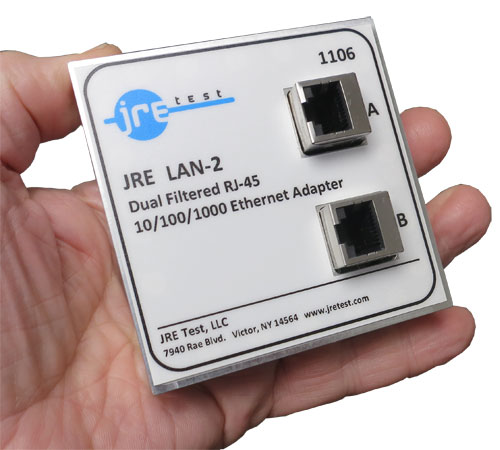
Dual Ethernet 10/100/1000 Filtered Interface — JRE LAN-2
Dual RJ-45 low-pass interface for 10/100/1000BASE-T, with all lines filtered and greater than 80 dB rejection from 800 MHz to 6 GHz.
JRE LAN-2 specifications
- Outside dimensions
- 3.2" H x 3.2" W x 0.8" D (80 x 80 x 20 mm)
- Isolation
- greater than 70 dB rejection above 700 MHz, greater than 80 dB from 800 MHz through 6 GHz
- Data Line Balanced Impedance
- 100 Ohms typical
- Insertion Loss at 10 MHz
- 0.1 dB
- Insertion Loss at 150 MHz
- 1.2 dB
- Insertion Loss at 250 MHz
- 1.5 dB
- Insertion Loss at 350 MHz
- 2.0 dB
- Insertion Loss at 480 MHz
- 3.0 dB
- Insertion Loss at 700 MHz
- > 70 dB
- Insertion Loss at 800 MHz to 6 GHz
- > 80 dB
- Connector Type
- RJ-45 Female Jacks
- Filtering
- All lines filtered
- Power capability
- Up to 60 VDC at 250 mA, 1.5 ohms max DC resistance
- Mounting
- 4-40 screws, clearance hole 0.1285" diameter (#30 or 3.3mm drill)
JRE LAN-2 overview
The filtering boundary is where I begin with the JRE LAN-2: both paths stay flat through 480 MHz before rejection rises above 700 MHz. That makes it the compact, passive interface for two independent 10/100/1000BASE-T connections.
- Dual low-pass Ethernet paths with RJ-45 Female jacks and all lines filtered
- Flat response through 480 MHz, with 3.0 dB insertion loss at that point
- Greater than 70 dB at 700 MHz and greater than 80 dB from 800 MHz to 6 GHz
- Up to 60 VDC at 250 mA, with 1.5 ohms maximum DC resistance
- 100 Ohms typical balanced impedance for the data lines
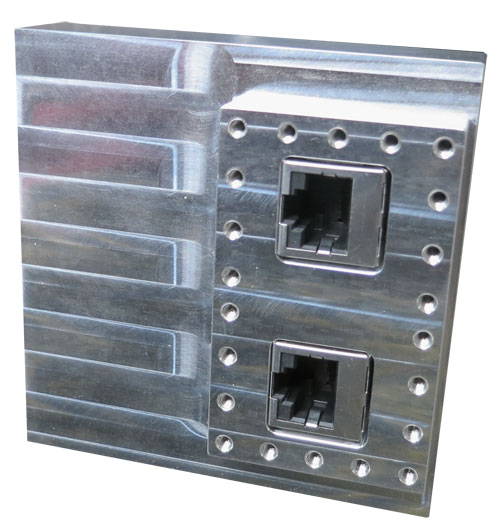
- Machined-aluminum housing measuring 3.2" H x 3.2" W x 0.8" D (80 x 80 x 20 mm)
- Included 4-40 mounting screws; $815.00 price and in-stock status
Both standard Ethernet channels remain separately connected, and RJ-11 plugs also seat in the same jacks with the same filtering. I also use that capability for telephone-style or serial wiring when the bench changes. The dual assembly therefore earns its space beyond one fixed network setup.
Go deeper
Used in: High-Speed Data
- Understanding data signals through filtered I/O The three filtering approaches — capacitive, low-pass, signal-phasing — and when each one applies.
- USB-3 and USB-C special considerations Cable length vs. speed, active cables, and why the passive filter looks like ~1–1.5 m of cable.
- The effect of adding multiple I/O filters The weakest-link principle and the 3 dB-per-doubling rule for your system isolation budget.
- Interface & connector guide Match every connector and capacitance value to your signal type on the removable I/O plate.
I/O Interfaces nearest the JRE LAN-2


Tell us what connections your device needs.
Tell us what connections you need to your device under test — USB, Ethernet, RS-232, RF connectors, etc. We'll spec it out with you. No cart, no checkout: you send an inquiry and we quote it.
Ask an Engineer